Welcome to the landing page of our final project for CSE 383. In the navigation bar, you will see options for this page, Stocks, Favorites, and personal pages for the two developers. In addition, there should be options to log in or sign up, or log out if you have already done so.
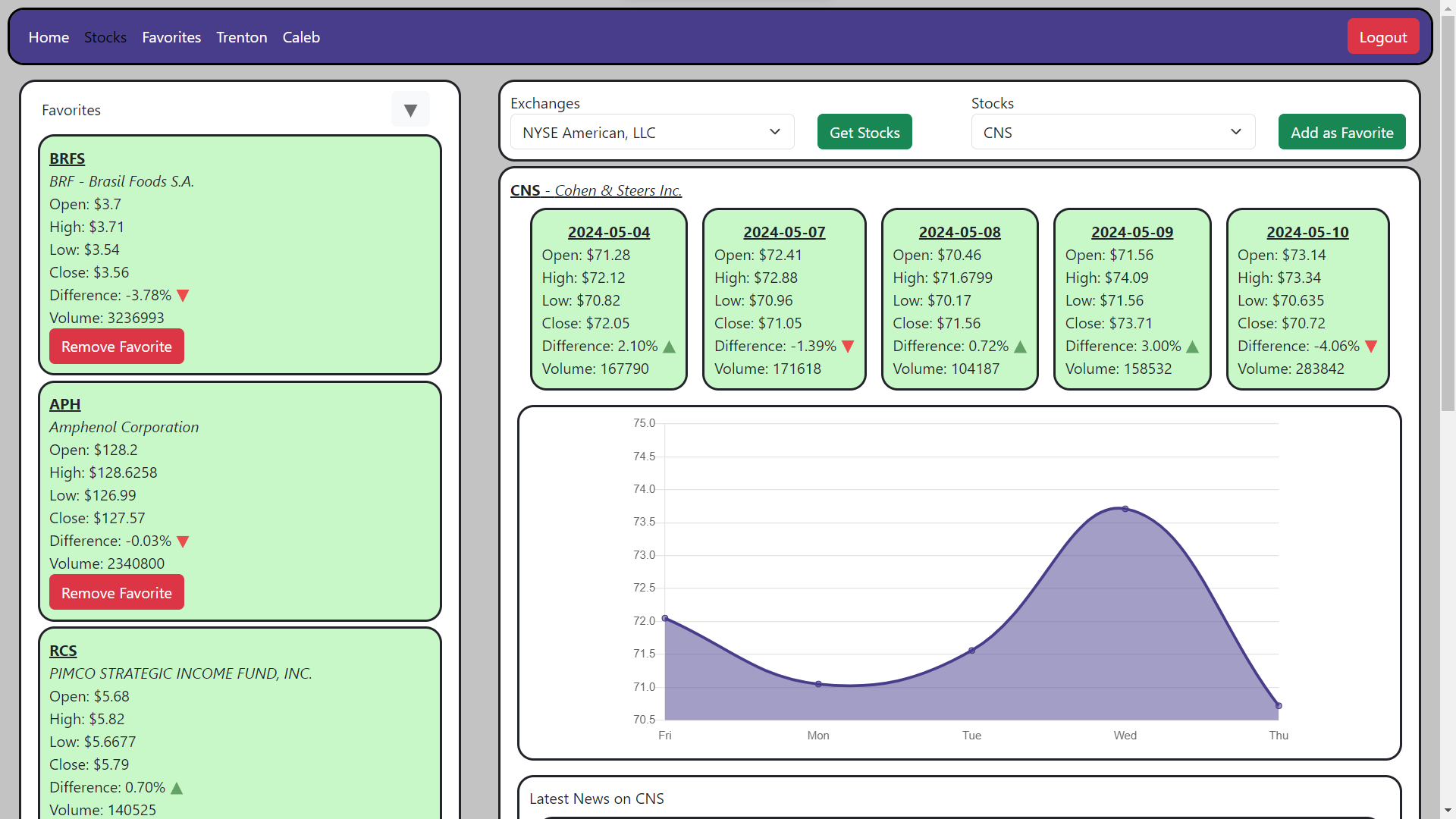
Viewing the Stocks page, pictured above, or the Favorites page, requires a login.
The Stocks page will allow you to select one of many stock exchanges through a dropdown menu. You can then press the "Get Stocks" button, which will provide you with another dropdown menu with all the stocks for the selected exchange. The selected stock will be displayed, showing statistics for the last five days, including the stock's open, high, low, close, difference, and volume for a given day. A graph using the close data is also shown. Below that, the five most recent articles about the stock are displayed below the graph. Clicking one of the articles will pop up a menu displaying the headline, an image, the first sentence, and publishing information, as well as a button that opens the full article in a new tab.
While a stock is selected, you can also add it to your Favorites with a button press. Your favorite stocks are shown on the left side of the Stocks page with the latest data, and can be displayed at any time by clicking on them. There is also a button to remove a favorite in the box for each favorite.
The Favorites page will allow you to view the history of your favorites, letting you view all changes at once or additions and removals separately. You can also filter this history by start and end date. Additionally, you can view a list of your favorites on a given day, defaulting to the current day.
Developed by Caleb Mostyn for CSE 383 in Spring 2024.